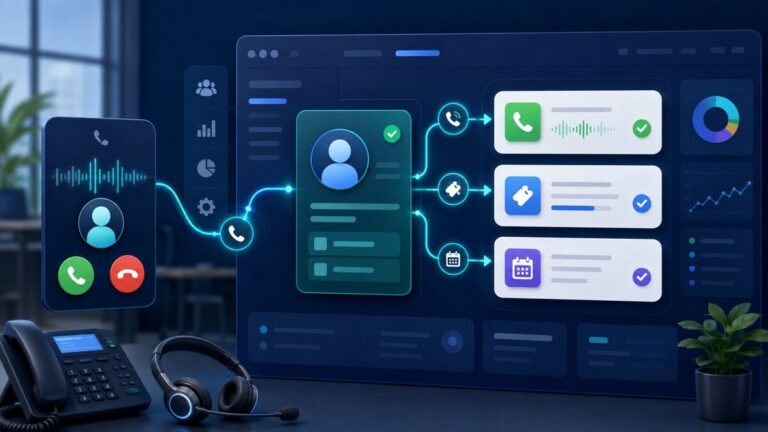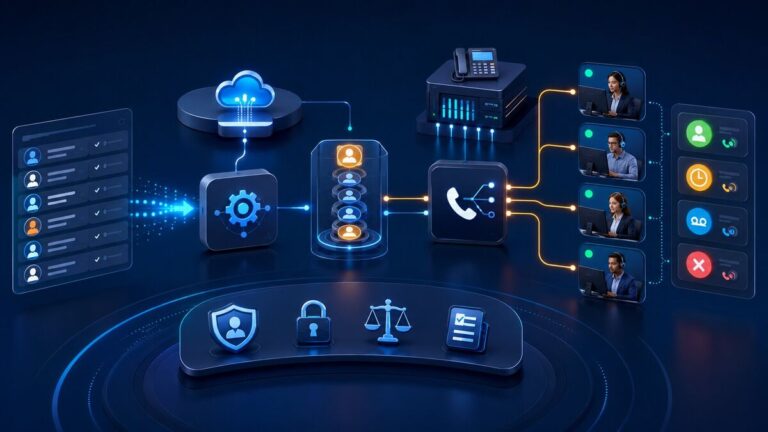
Businesses increasingly want their phone system to do more than route calls. They want incoming enquiries answered immediately, common questions handled consistently, customer details captured, appointments scheduled, and calls transferred to the right person with full context.
By integrating 3CX with an AI voice agent platform such as Vapi or Retell AI, a business can combine a proven VoIP PBX with conversational AI. The result is an intelligent call-handling workflow that supports customers 24/7 while preserving normal extensions, queues, call routing, reporting, and human-agent escalation.
Allsmartone provides consulting and implementation services for these custom integrations, including SIP design, 3CX call flows, AI-agent configuration, CRM connectivity, testing, and production deployment.
What Is a 3CX AI Voice Agent Integration?
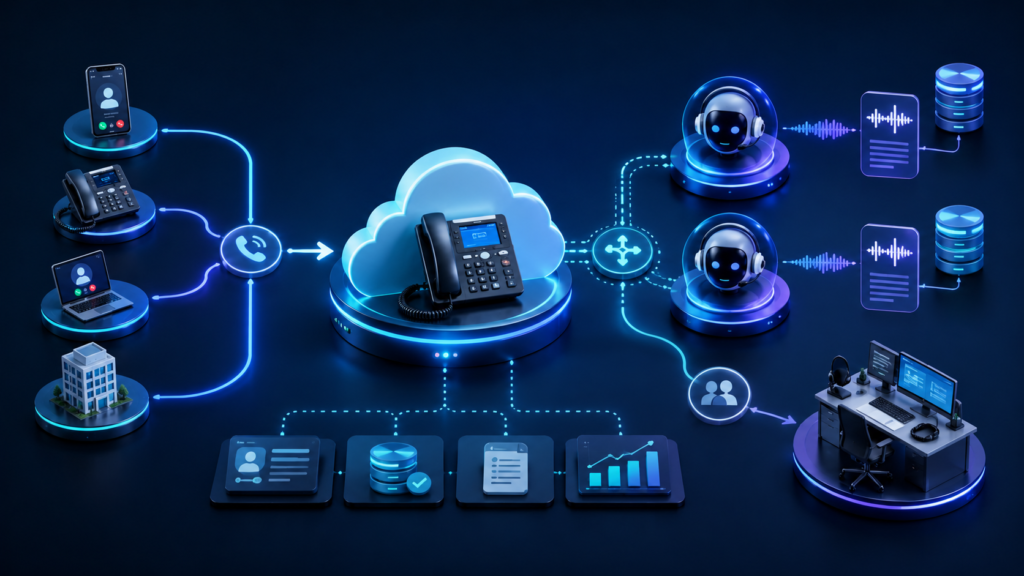
A 3CX AI voice-agent integration connects selected calls from the 3CX phone system to an AI platform. The AI agent can speak naturally with the caller, collect information, perform approved actions through APIs, and transfer the conversation to a human when required.
This is usually a custom SIP and workflow integration rather than a simple plug-and-play feature. The exact architecture depends on the 3CX deployment, SIP provider, phone numbers, call direction, AI platform, CRM, security requirements, and desired transfer behaviour.
Typical Integration Architecture
- 3CX PBX: Manages phone numbers, extensions, IVRs, queues, business hours, recordings, and routing rules.
- Vapi or Retell AI: Runs the conversational voice agent, speech recognition, language model, voice synthesis, and tool actions.
- SIP connectivity: Routes calls securely between the PBX, carrier, and AI platform.
- Middleware or API services: Connect the AI agent to CRM, helpdesk, scheduling, database, SMS, or internal business systems.
- Human handoff: Transfers qualified, sensitive, complex, or urgent calls to the correct 3CX extension or queue.
Example Inbound Call Flow
- A customer calls the business telephone number.
- 3CX applies business-hours, DID, IVR, and routing rules.
- The selected call is routed through SIP to the Vapi or Retell AI agent.
- The AI agent greets the caller and identifies the reason for the call.
- Approved tools check or update the CRM, create a ticket, capture a lead, book an appointment, or send an SMS.
- If human assistance is needed, the call is transferred to the appropriate 3CX queue or extension.
- Call outcomes, summaries, transcripts, and follow-up tasks can be added to connected systems according to the configured workflow.
What Can the AI Agent Handle?
- Answer frequently asked questions using an approved knowledge base
- Capture new leads and confirm contact details
- Qualify enquiries before sending them to a sales queue
- Create support tickets and assign appropriate priority
- Check appointment availability and request bookings
- Send SMS confirmations or follow-up links
- Look up permitted customer information in a CRM
- Summarise conversations and create follow-up tasks
- Transfer urgent or complex calls to a human agent
Vapi vs Retell AI for a 3CX Integration
| Consideration | Vapi | Retell AI |
|---|---|---|
| Best fit | Flexible developer-led voice applications and custom workflows | Production-focused conversational call experiences and agent workflows |
| Telephony integration | Can participate in custom SIP and carrier architectures | Can participate in custom SIP and carrier architectures |
| Business-system actions | Supports tool and API-driven workflows | Supports tool and API-driven workflows |
| Platform selection | Should be based on call flow, region, latency, voice, language, integration, compliance, support, and commercial requirements | |
Neither platform should be selected from a feature checklist alone. A short proof of concept using real call scenarios is the safest way to evaluate audio quality, interruption handling, transfer behaviour, tool reliability, latency, and operational fit.
Critical Technical Considerations
1. SIP Routing and Number Format
Inbound and outbound routing must use consistent number formats. The solution should define which system owns the public number, where calls enter, which routes reach the AI agent, and how the original caller ID is preserved where technically supported.
2. Call Transfer Behaviour
A transfer is not just a prompt instruction. The SIP environment must support the intended blind transfer, warm transfer, queue transfer, or new-call workflow. This should be tested with the actual 3CX version, carrier, AI platform, and destination.
3. CRM and Helpdesk Integration
The AI agent becomes more useful when it can safely interact with platforms such as HubSpot, Zoho CRM, Salesforce, or a custom database. Tool permissions should be limited to the actions the agent genuinely needs, and important information should be confirmed with the caller before records are created or updated.
4. Failure and Fallback Handling
Every production design needs a fallback. If the AI platform, an API, or an external service is unavailable, the call should follow a defined route such as a 3CX queue, receptionist, voicemail, or callback workflow.
5. Privacy, Recording, and Security
Businesses should review consent announcements, recording rules, data retention, transcript access, API authentication, and regional privacy obligations. Only necessary information should be exposed to the AI platform and connected tools.
Practical Use Cases
After-Hours Receptionist
The AI agent answers when staff are unavailable, captures the enquiry, handles approved questions, and creates a callback task for the next business day.
Sales Lead Qualification
The agent confirms the caller’s requirements, location, service interest, and preferred contact details before routing a qualified opportunity to the sales team.
Customer Support Triage
The agent identifies the affected service, checks permitted account details, creates a ticket, and transfers urgent cases to the appropriate 3CX support queue.
Appointment and Callback Requests
The agent can collect booking information, check an approved scheduling system, send confirmation details, or arrange a callback when no suitable slot is available.
Why Work with a 3CX Integration Consultant?
A reliable voice-agent project requires knowledge across PBX configuration, SIP signalling, carrier routing, AI prompts, API development, CRM workflows, security, and real-world call testing. Treating it as only an AI prompt project often leaves gaps in caller ID, transfers, routing, data accuracy, and fallback behaviour.
Allsmartone combines 3CX and VoIP PBX consulting with AI communication automation and CRM and system integration. This allows the complete call journey—from SIP connectivity to business-system updates—to be designed and tested as one solution.
Frequently Asked Questions
Can 3CX connect to Vapi or Retell AI?
Yes. A custom integration can route selected 3CX calls to an AI voice agent using a suitable SIP, carrier, and workflow architecture. The exact setup depends on the deployment and call-flow requirements.
Can the AI agent transfer a call back to 3CX?
Yes, when the chosen architecture and connected providers support the required transfer method. Transfer behaviour must be tested carefully because SIP REFER, new INVITE, caller-ID preservation, and queue routing can vary between platforms.
Can the AI agent update our CRM?
Yes. With controlled API tools or middleware, the agent can search contacts, create leads, open tickets, add notes, or create follow-up tasks in supported CRM and helpdesk systems.
Should every call go to the AI agent?
Not necessarily. Many businesses start with after-hours calls, overflow traffic, a single department, or a dedicated campaign number. A phased rollout reduces risk and provides measurable results before wider deployment.
Plan Your 3CX AI Voice-Agent Integration
If you want to connect 3CX with Vapi, Retell AI, a CRM, or another business system, Allsmartone can review your existing environment and design a practical implementation plan.